
Abstract
00
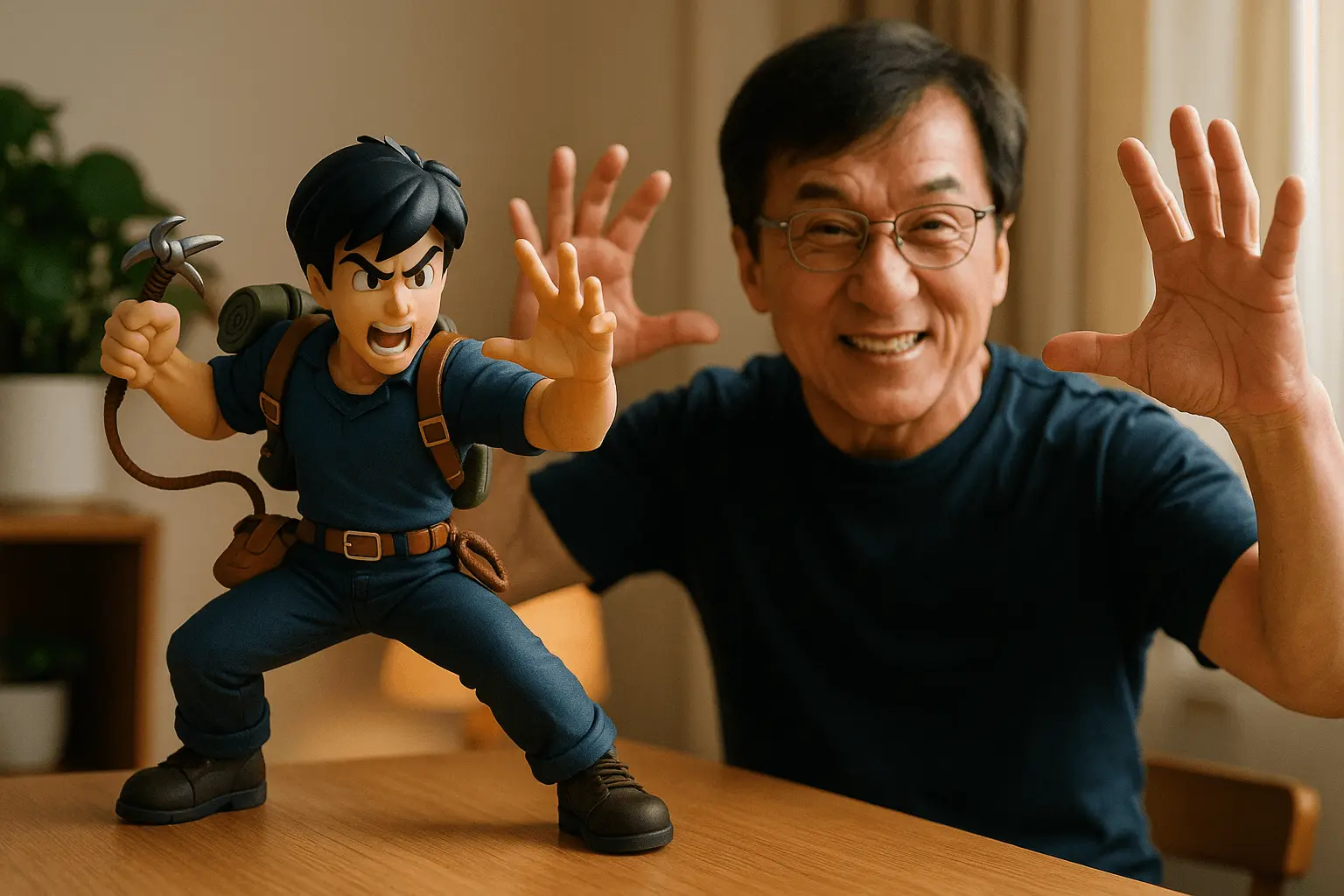
Action Figure and Real Person in the Same Frame
The [Jackie Chan] in the prompt can be replaced with the name of any figurine character you want, or other types of characters.
anime3dfigure
Explore Banana Prompts for conceptual visuals, surreal forms, and non-literal image styles.
Use this page to compare prompt structures, discover featured styles, and find starting points for both text-to-image and reference-image guided creation.
Jump straight into the themes and prompt patterns creators use most often.
The [Jackie Chan] in the prompt can be replaced with the name of any figurine character you want, or other types of characters.
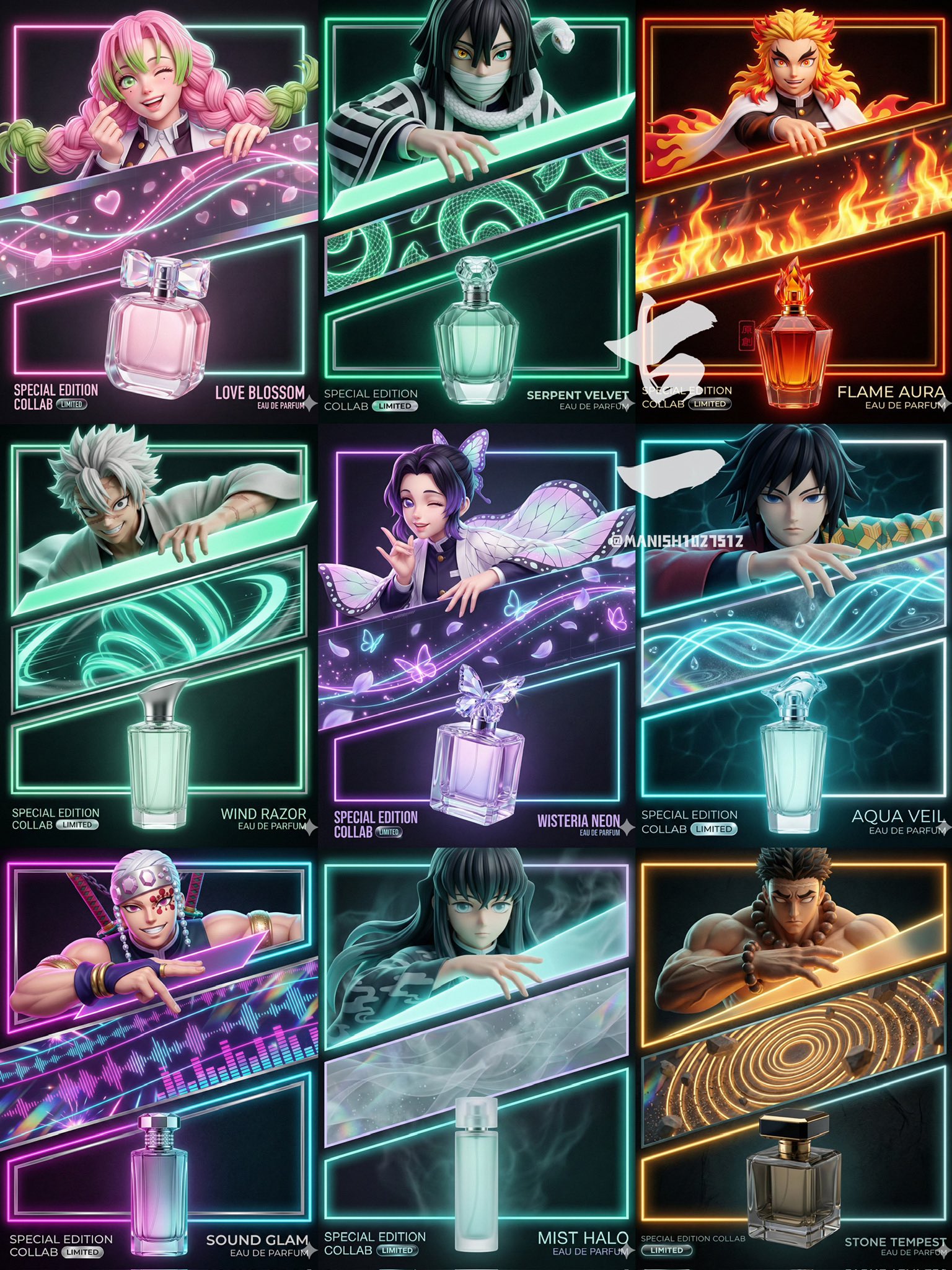
【A. 任务 / 输出】 - 生成:竖版海报 4:5 - 风格:高端潮流霓虹包装 + 商业KV - 结构:上角色 / 中斜切带 / 下香水瓶 + 霓虹矩形框 + 底部信息条 【B. 版式骨架(必须锁死)】 1) 顶部:角色特写(上半身/脸+手),放在一个发光矩形框里 2) 中部:一条“斜向梯形/斜切带”横贯画面(承载主题符号与动势线) 3) 底部:香水瓶产品英雄位(玻璃折射高光清晰),放在第二个矩形框里 4) 互动:角色一只手“压住/跨过”斜切带边缘(破界但不破坏版式) 5) 底部信息条:左下 COLLAB/限定贴纸;右下 香水名 + EAU DE PARFUM(字必须可读) 【C. 主题包(换角色只改这里)】 - 角色识别点:{发型/发色} + {标志性服饰/配件} + {气质表情} - 符号资产:{主题主符号1} + {主符号2} + {粒子/动势线} - 配色:主霓虹色 {X} + 辅色 {Y} + 暗底 {Z} 【D. 相机与光(简单但够用)】 - 镜头:35–50mm 质感 - 机位:眼平或略低;可轻微 dutch angle 增动感 - 光:棚拍主光打脸 + 霓虹轮廓光 + 主题资产自发光(bloom 克制) - 材质对比:皮肤柔和 / 霓虹发光 / 香水瓶硬玻璃反射折射 【E. 质量门禁(最重要的3条)】 1) 结构清晰:三段式 + 两个霓虹框 + 斜切带 2) 产品高级:玻璃高光与折射真实,不能像塑料玩具 3) 文字可读:不乱码、不被遮挡、不歪斜
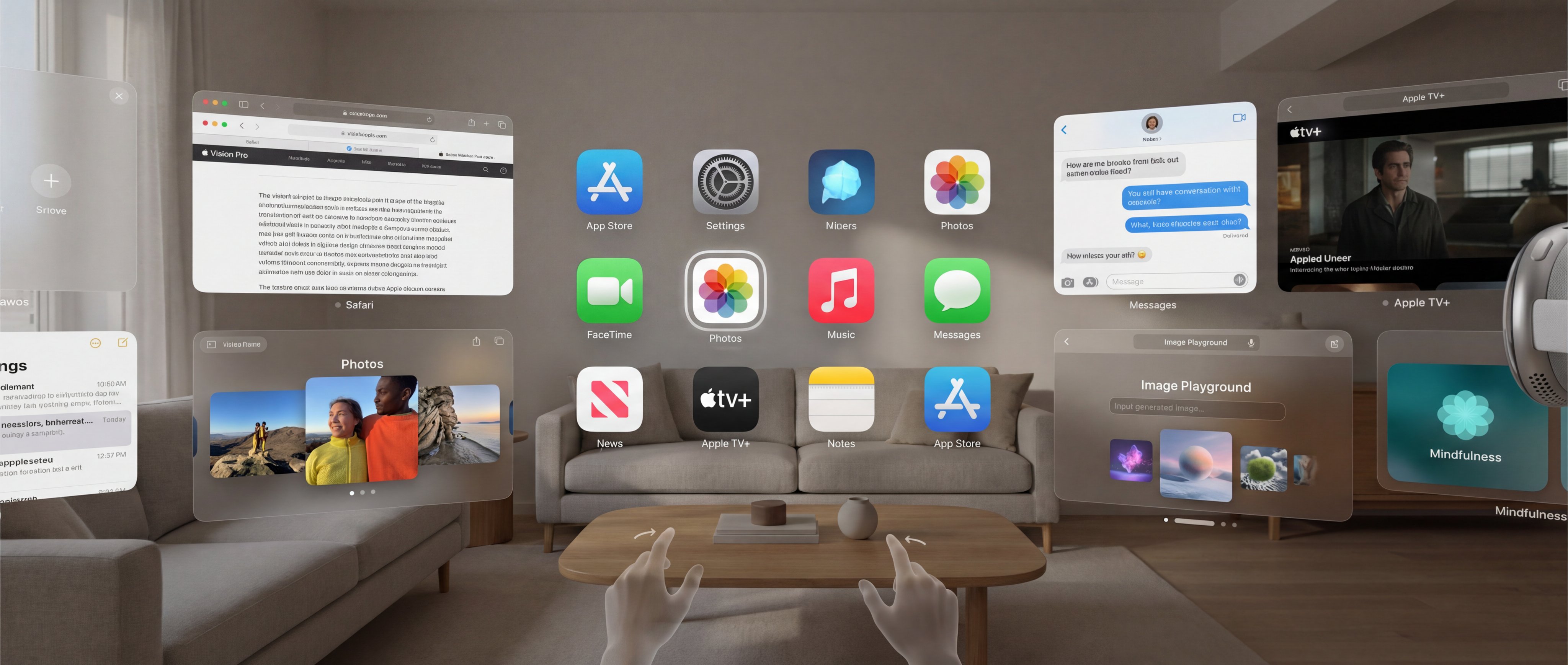
{ "prompt": "Highly detailed photorealistic screenshot of Apple Vision Pro visionOS 26 operating interface from user's first-person immersive view, spatial computing home screen with multiple floating translucent glass-like 3D windows and volumetric app icons arranged in a customizable curved grid around the user, semi-transparent frosted blur material with subtle depth parallax and soft natural light reflections blending seamlessly with real-world passthrough surroundings, high-resolution micro-OLED display quality with ultra-sharp details, vibrant clean Apple minimalist UI design with rounded corners and volumetric glow, eye-tracking selection with subtle white glow highlight on hovered app icon (e.g., Photos app icon hovered), visible hand gesture pointers in lower field of view ready for pinch/tap/drag interactions, Digital Crown subtly visible on the right side for immersion control, open floating windows showing active apps: one large Safari browser window with tabs and webpage content, one Photos app window displaying spatial photos with depth, one Music app window with album artwork, one Messages window with conversation bubbles, one Notes window open, one Apple TV+ window playing immersive video preview, one Image Playground app window open showing text prompt input field at bottom with generated spatial images floating above in styles like Animation/Sketch/Illustration, one Mindfulness app window with breathing guide, subtle volumetric shadows and light bounce from virtual elements onto real environment, photorealistic rendering with cinematic soft ambient lighting, no distortion or artifacts, aspect ratio 2:1 wide immersive format", "negative_prompt": "blurry, low resolution, distorted text or UI elements, cartoonish, illustration style, flat 2D look, no depth or parallax, harsh shadows, overexposed, underexposed, watermark, logo overlay, people visible wearing headset, external device view, crowded cluttered screen, deformed windows or icons, missing hand pointers, no glow on hovered icons, explicit text prompts in Image Playground, vulgar content", "parameters": { "style": "Photorealistic visionOS 26 interface screenshot from inside the headset, Apple Human Interface Guidelines compliant, futuristic spatial UI with multiple open apps including Image Playground", "recommended_tool": "Midjourney, Stable Diffusion XL, Flux or advanced photoreal models", "aspect_ratio": "2:1 or 16:9 for wide spatial feel", "additional_tips": "Use weights like (floating translucent windows:1.4), (volumetric app icons:1.3), (Image Playground open with generated images:1.2), (soft natural passthrough lighting:1.1); vary open apps for diversity, include Apple Intelligence features like Image Playground prominently" } }